
Personal Cybersecurity Emergency Response: Stop Cyberattacks Fast in 2025
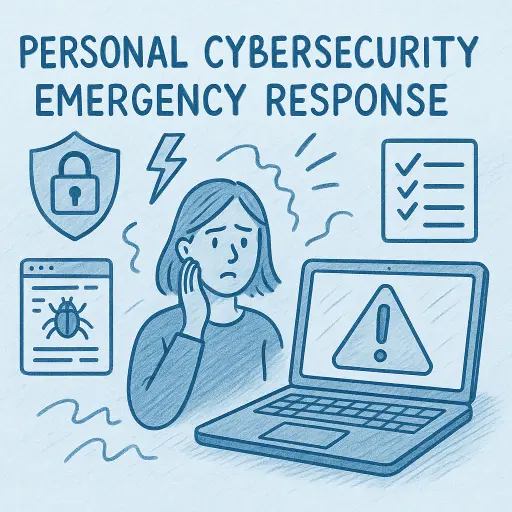
Personal Cybersecurity Emergency Response: Fast Action Against Cyberattacks in 2025
Cyberattacks are rising fast in 2025. Every day, hackers target individuals to steal personal data, identities, and money. A fast Personal Cybersecurity Emergency Response is critical to stop the damage and protect your digital life. That’s where Personal Cybersecurity Emergency Response comes in. This guide gives you step-by-step instructions on exactly what to do in a cybersecurity emergency. By acting fast and smart, you can minimize damage and protect your digital life.
What Is Personal Cybersecurity Emergency Response?
Personal Cybersecurity Emergency Response refers to a planned, step-by-step method you follow if your digital identity, accounts, or devices get compromised. Think of it as your cybersecurity "first aid kit," enabling you to quickly contain, mitigate, and recover from cyber attacks.
Common Cybersecurity Emergencies
Knowing common threats helps you respond faster. Here are some typical cybersecurity emergencies: • Identity Theft: Criminals stealing personal data like Social Security numbers, bank details, and personal documents. • Hacked Accounts: Unauthorized access to your email, social media, or banking accounts. • Ransomware: Malware that locks your device and demands payment. • Phishing Attacks: Deceptive messages designed to trick you into revealing sensitive information.
Recognizing a Cybersecurity Emergency
The quicker you identify an emergency, the faster you can respond. Watch out for: • Unusual login alerts • Password reset emails you didn’t request • Sudden changes in account information • Unauthorized transactions • Device performance suddenly slowing down or locking you out
Immediate Steps for Personal Cybersecurity Emergency Response
Step 1: Stay Calm and Act Quickly Stressful as it may be, staying calm helps you think clearly. Your first actions are crucial to minimizing harm. Step 2: Disconnect from the Internet Immediately disconnect affected devices from the internet. It stops attackers from doing further harm. • Turn off Wi-Fi • Unplug Ethernet cables • Activate airplane mode Step 3: Secure Critical Accounts Change your passwords immediately using a device that isn’t compromised. Prioritize email, banking, and social media accounts. Step 4: Notify Relevant Authorities Report identity theft or financial fraud promptly: • Federal Trade Commission (FTC) • Local law enforcement • Your financial institutions Step 5: Scan Devices for Malware Use reputable antivirus software to scan your devices thoroughly. Remove any detected threats immediately. Step 6: Monitor Your Credit Use credit monitoring services like Experian or Equifax to keep track of suspicious financial activities.
Developing Your Cybersecurity Emergency Plan
Creating your emergency response plan ahead of time makes handling crises easier: • List critical accounts and contacts • Regularly update passwords • Enable multi-factor authentication (MFA) • Back up important data regularly • Use secure and updated software
Tools and Resources for Effective Response
Here’s a helpful a simple toolkit: • Password Managers: LastPass, Dashlane • VPN Services: ExpressVPN, NordVPN • Secure Email Providers: ProtonMail
Case Study: How Rapid Response Makes a Difference
Meet Sarah. She received a phishing email pretending to be her bank. Without realizing it, Sarah entered her details on a fake site. Sarah’s Fast Response: 1. Quickly disconnected her computer from the internet. 2. Immediately changed her banking password using her phone. 3. Contacted her bank’s fraud department. 4. Ran an antivirus scan, removing hidden malware. Sarah's fast response helped to prevent significant financial loss.

Prevention: The Best Emergency Response
Proactive measures greatly reduce cybersecurity risks. Here are preventive practices: • Use Strong Passwords: Unique, complex passwords are essential. • Regular Software Updates: Protect your devices by updating software regularly. • Security Awareness: Learn to identify phishing emails and suspicious websites.
Takeaways from Solace
A well-prepared Personal Cybersecurity Emergency Response plan is essential in today’s digital world. By responding rapidly and methodically, you significantly limit potential damage. Start today: set your plan, educate yourself, and secure your digital future.
External Resources for Further Reading
By equipping yourself with knowledge, you empower yourself against cyber threats. Stay alert, stay safe, and act quickly if you face a cybersecurity emergency.
Need help with a cybersecurity issue? Talk to a Personal Cybersecurity Expert.
You won’t get call centers or generic support at Solace. Every client works with a Personal Cybersecurity Expert who manages their full security and privacy needs.
Tech support and generic cyber tools don't resolve the root cause of your issues. Solace provides Truly Personal Cybersecurity™.

