
How Do I Know If I’ve Been Hacked? Proven Guide
Written by Paul Pioselli on November 20, 2025
7 min read
The Short Answer
You have likely been hacked if you notice unexplained account activity, such as unauthorized password reset emails, mysterious outgoing messages in your sent folder, or unexpected Two-Factor Authentication (2FA) prompts. While computers glitch, I believe some of the most reliable indicators of a compromise are unrecognized logins in your account security settings and suspicious, unexplained activity on devices such as your mobile phone.

From the Desk of Our Founder
In my career protecting a Fortune 50 company, I oversaw security for billions of dollars in assets, and deployment of security controls across an eco-system housing some of the most sensitive data, Protected Health Information (PHI). We had a multitude of security dashboards that would showcase Indicators of Compromise (IoCs) in flashing red lights if threat actors were to breach our perimeter.
However, in my own firm, Solace, advising a variety of individuals, I find that personal attacks are often quieter. You don’t get a flashing red light. You get a subtle notification you almost swiped away.
If you are reading this, you likely have a gut feeling that something may be wrong. In this guide, I will walk you through how to validate that suspicion, separating standard technical noise from genuine malicious activity.
-Paul
Technical Glitch vs. Malicious Activity
The most common mistake I see clients make is assuming that poor performance equals hacking.
- Technical Glitches: Apps crashing, slow Wi-Fi, or a laptop freezing can simply be hardware or software stability issues. They are annoying, but not always malicious.
- Malicious Activity: Hacking is about unauthorized access and data exfiltration. Sophisticated attackers, especially those targeting wealthy individuals, want your device to run smoothly so they can stay hidden while they siphon data.
Phishing and Social Engineering are a common entry point for threat actors.
4 Subtle Signs of a Compromise
In my experience, modern attacks like session hijacking or spyware are designed to be invisible. Here are the four tells that frequently slip through the cracks.
1. The MFA Fatigue Attack
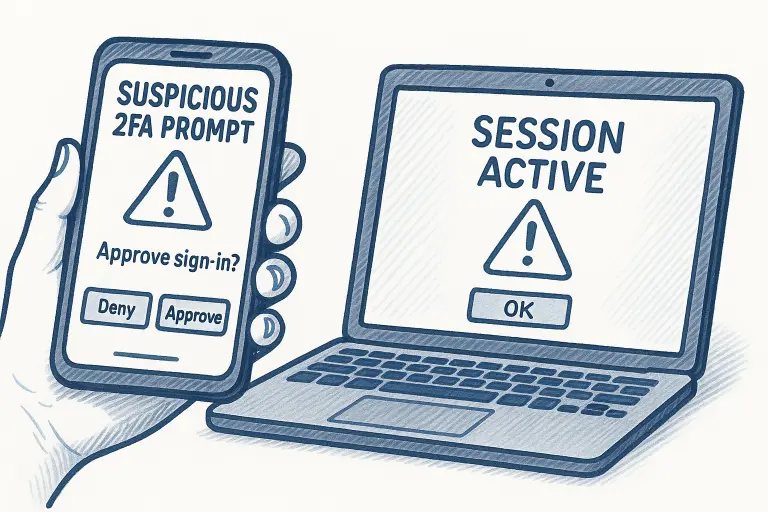
Have you received a Two-Factor Authentication (2FA) code you didn’t request? Or worse, five of them in a row at 2:00 AM?
This is not a glitch. This is most likely a hacker who has your password and is banging on the front door, trying to annoy you into clicking Approve just to make the notifications stop. Never approve a request you didn’t initiate.
2. The Phantom Outbox
One of the first places I look during an incident response engagement involving email compromise is the Sent folder or Deleted Items.
In Business Email Compromise (BEC) scenarios, hackers often set up forwarding rules to send copies of your financial emails to their own accounts. They then delete the evidence. If you see emails you didn’t write or if your contacts ask why you sent them a strange link, assume your email is compromised.
3. Mobile Heat and Drain
Advanced spyware such as Pegasus or sophisticated stalkerware require processing power to record your calls and track your GPS.
If your iPhone or Android device is hot to the touch while sitting idle, or if the battery drains from 100% to 20% in three hours without usage, unauthorized background processes may be running.
4. Rogue Browser Extensions
I recently helped a client who kept seeing pop-ups despite having an ad-blocker. The culprit was a malicious browser extension disguised as a PDF converter. This browser extension was hijacking their browser sessions to steal cookie data. Check your browser extensions immediately and remove anything you don’t recognize.
How to Audit Active Sessions on Google and Microsoft

Google Account Session Audit
Direct Link: myaccount.google.com/device-activity
- Navigate: Go to your Google Account dashboard.
- Select: Click Security in the left-hand navigation panel.
- Review: Scroll down to “Your devices” and click Manage all devices.
- Action:
- Review the list of devices where you are currently signed in.
- If you see an unfamiliar device or an old session, select it and click Sign out.
- Note: If you see “multiple sessions” on one device, this is normal for different browsers or apps.
Microsoft Account Session Audit
Direct Link: account.live.com/activity
- Navigate: Log in to your Microsoft Account dashboard.
- Select: Click the Security tab at the top.
- Review: Click on View my sign-in activity.
- Action:
- Review the list of successful and unsuccessful sign-ins (includes location and IP).
- If you see a “Successful sign-in” from a location you don’t recognize, expand the item and click Secure your account.
- Note: Unsuccessful attempts from foreign countries are common (automated bots); focus on Successful entries that aren’t you.
Immediate Triage: Your First Response Checklist
If you believe you have been compromised, do not panic. Calmly follow and execute this triage plan immediately.
1. Disconnect Immediately
Turn off Wi-Fi and Bluetooth. If it's a phone, enable Airplane Mode. This helps to sever the connection to the attacker's command server.
2. Change Passwords on a secure Device
Do not change passwords on the infected device. Use a separate, secure computer to change your email and banking passwords.
3. Audit Recovery Settings
Attackers often change the Recovery Email to their own. Ensure the backup phone number and email are actually yours, and are accessible by you.
4. Force Log-Out
Use the Sign out of all devices feature found in the security settings of your applications such as Google, Apple, or Microsoft 365.
Frequently Asked Questions (FAQ)
Can my phone be hacked without me knowing?
Yes. Sophisticated spyware and “zero-click” exploits can infect a device without you clicking a link. The signs are often physical (overheating, battery drain) or behavioral (strange data usage spikes), rather than visual pop-ups.
What should I do if I clicked a phishing link?
Immediately disconnect your device from the internet. If you entered credentials, change that password instantly from a different device. If you downloaded a file, do not open it, and run a full antivirus scan.
How do I check if my email password was stolen?
You can use reputable databases like “Have I Been Pwned.” However, for high-net-worth individuals, your data may be traded on exclusive Dark Web forums that public databases don’t index. Manual Dark Web intelligence is often required.
When to Call a Personal Cybersecurity Expert
If you simply reused a password and Netflix was accessed, you can likely handle the reset yourself.
However, if you are an individual with a complex attack surface and you suspect:
- Identity theft or unauthorized wire transfers.
- Targeted harassment or blackmail.
- Compromise of sensitive data.
Do not attempt to fix this alone. You may accidentally exacerbate the issue or destroy digital forensics evidence needed for investigation, law enforcement or insurance claims.
At Solace, we specialize in confidential incident response and identity recovery for private clients. We don’t just clean your device, we close the door that was left open, and ensure you are better protected against future digital threats.
Talk to a Personal Cybersecurity Expert
You won’t get call centers or generic support at Solace. Every client works with a Personal Cybersecurity Expert who manages your full security and privacy needs.
Tech support and generic cyber tools don't resolve the root cause of your issues. Contact us to discover how Solace provides Truly Personal Cybersecurity™.

