
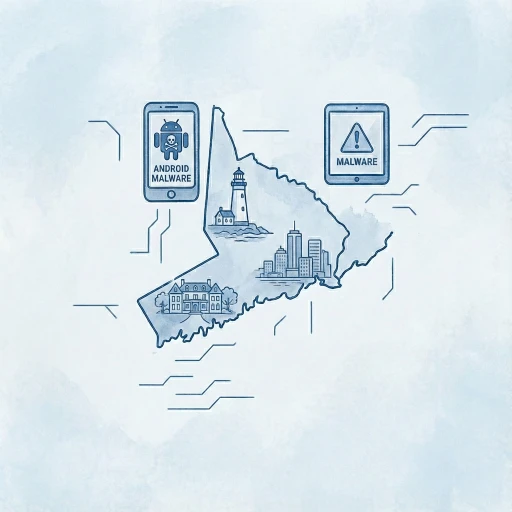
Is Your Phone Compromised? The New Banking Threat Targeting Android Users.
Living in Fairfield County, we often take our digital convenience for granted. Whether you are reviewing your portfolio on the train from Greenwich into Manhattan, or quickly approving a wire transfer from your home office in Southport, your smartphone is no longer just a communication device; it is the command center for your financial life.
But a new, sophisticated threat is challenging that convenience. It’s called Albiriox, and it represents a significant evolution in mobile cybercrime.
While many of us assume that hacking happens to large corporations or requires a stolen password, Albiriox is different. It is designed to bypass the security measures we rely on, targeting high-value individuals and families who manage significant assets via mobile apps. As a firm providing personal cybersecurity services to our local community, we believe it is vital to move past technical jargon and understand exactly what is happening, and how to stop it.
The Breakdown: What is Albiriox?
To understand Albiriox, we need to stop thinking of malware as a simple virus that breaks your phone. Instead, imagine a ghost user operating behind the scenes in your phone.
Albiriox is a form of malware known as a Remote Access Trojan (RAT). Unlike older viruses that simply stole a password and sent it to a server, Albiriox gives a cybercriminal live, hands-on control over your Android device.

Here is the frightening innovation: Albiriox is sold as Malware-as-a-Service (MaaS). This means sophisticated developers rent this tool out to entry-level scammers, much like a software subscription. This franchise model has caused the threat to spread rapidly since September 2025.
How It Works: The Black Screen Trick
The most alarming feature of Albiriox is its ability to hide in plain sight.
- Infection: It usually arrives disguised as a harmless utility, retailer, or investment app downloaded from a third-party site or via a smishing (SMS phishing) link.
- The Takeover: Once installed, it utilizes Android’s Accessibility Services, features designed to help those with device accessibility challenges. This grants itself deep permissions.
- The Heist: When the attacker decides to strike, they can dim your screen or project a fake black overlay. To you, it looks like your phone is sleeping or locked. Underneath that black screen, however, the attacker is actively swiping, tapping, and opening your banking apps, initiating transfers using your logged-in session.
Because the activity is coming from your specific device, from your usual IP address in Darien or Westport, and within an already authenticated session, it often bypasses standard fraud detection filters.
The Local Impact: Why Fairfield County is a Target
Why should residents of Westport, Greenwich or broader Fairfield County be particularly concerned about a global malware strain?
Cybercriminals follow the resources. In the industry, we call it whaling, targeting high-net-worth individuals rather than casting a wide net for small fish. Our region is home to a high concentration of fintech users, crypto investors, and families managing complex portfolios.
At Solace, we have observed a rise in targeted social engineering attacks with our clients in Fairfield County.
- The Exclusive App Lure: Scammers know their target demographics. We have observed lures masquerading as exclusive retail apps or beta investment platforms tailored to high-net-worth individuals.
- The Commuter vulnerability: For those commuting into the city, the distraction of travel often leads to less vigilance. Clicking a link that looks like a missed delivery notification or a request from a known vendor is all it takes to install the dropper app that loads Albiriox.
The malware’s developers have already cataloged over 400 financial applications they intend to target. This isn’t random; it is a calculated assault on the exact type of financial ecosystem prevalent in our area.
Take Defensive Actions: Empowering Your Digital Life
The capabilities of Albiriox sound intimidating, but there is good news: You have the power to keep it off your device. This malware requires your permission, however inadvertent, in order to operate.
Here are the specific steps you can take today to harden your defenses.
- The “Official Store” Rule: Never download apps from a link sent to you via text or email, even if it looks like it’s from a trusted brand. Only install applications from the official Google Play Store. Albiriox thrives on “sideloading” (installing apps from the web).
- Audit Your Accessibility Permissions: Go to Settings > Accessibility. Look at the list of apps that have access. Does a “Battery Saver” or “Flashlight” app really need to read your screen and control your device? If you see an app you don’t recognize with these permissions, revoke them and uninstall the app immediately.
- Upgrade Your Authentication: Because Albiriox operates on the device, it can sometimes intercept SMS text messages used for two-factor authentication (2FA). Switch from SMS-based codes to an Authenticator App (like Google Authenticator or Authy) or, even better, a hardware security key (like a YubiKey).
- Watch for the “Glitch”: If your phone screen suddenly goes black, but the phone is still on (vibrating, warm to the touch), or if apps act sluggishly, do not assume it is just a glitch. Force restart the device immediately and run a scan with a reputable tool like Malwarebytes for Android.

Key Takeaway: Peace of Mind is Possible
The emergence of Albiriox serves as a stark reminder that as our devices get smarter, so do the criminals targeting them. However, fear is not the answer, awareness and action are.
For families in Fairfield County, the digital landscape is part of our daily infrastructure. We manage our lives online, and we shouldn’t have to retreat from that convenience. We just need to navigate it with the same caution we use when locking our front doors at night.
As a personal cybersecurity expert, my goal is not to scare you, but to equip you with the knowledge to spot the imposters before they gain entry.
Frequently Asked Questions (FAQ)
How do I know if Albiriox is already on my phone?
Because this malware tries to stay hidden, you might not see an app named “Albiriox.” Instead, look for these warning signs:
- The “Black Screen” Glitch: If your phone screen goes black but the device is still warm or vibrating, the malware may be active in the background.
- Rapid Battery Drain: The malware constantly communicates with attackers, which drains power significantly faster than usual.
- Sluggish Performance: If apps take forever to open or your keyboard lags while typing.
- Unknown Apps: Check your app drawer for generic icons labeled “System Update,” “Security,” or “Utility” that you do not remember installing.
Can this malware steal my money if I have Two-Factor Authentication (2FA)?
Unfortunately, yes. Most people rely on SMS text codes for 2FA. Since Albiriox lives on your device, it can read your incoming text messages and see the code your bank sends you. Furthermore, because the hackers are operating remotely through your actual phone, they are using your “trusted device” to log in, which often bypasses the bank’s security triggers that usually flag suspicious locations. This is why we recommend using hardware keys (like YubiKey) or app-based authenticators instead of SMS.
Is my iPhone at risk of getting Albiriox?
Currently, Albiriox is specifically built to attack the Android operating system. However, iPhone users in Fairfield County should not be complacent. While you cannot “catch” this specific virus, the social engineering tactics used to spread it—fake text messages from delivery companies, bogus “exclusive” retail apps, and investment scams—can still trick iPhone users into handing over personal data or credit card details on phishing websites.
The article mentions "Accessibility Services." What should I look for there?
“Accessibility Services” are powerful tools designed to help people with disabilities control their screens. Malware writers love this feature because it grants them total control. To check this: Go to Settings > Accessibility. Look at the list of “Downloaded Apps” or “Installed Services.” If you see a weather app, a PDF reader, or a battery saver listed there with “On” next to it, that is a major red flag. Legitimate weather or battery apps do not need control over your screen. Turn it off and delete the app immediately.
I clicked a link and downloaded a file, but I didn't open it. Am I safe?
You are likely safe, but you need to clean up. On Android, downloading the file (usually an .APK file) is the first step, but you usually have to tap it to “Install” it.
- Action: Go to your Files or Downloads folder immediately and delete the suspicious file.
- Precaution: Run a scan with Malwarebytes for Android just to be sure nothing triggered in the background.
If I am infected, is a Factory Reset the only solution?
If you have confirmed that Albiriox is on your device, a Factory Reset is the safest and most reliable option. While some antivirus software can remove the app, modern malware like Albiriox often hides pieces of itself deep in the system to “re-infect” you later.
- Warning: a Factory Reset deletes everything. Ensure your photos and contacts are backed up to the cloud before doing this. If you are a client of Solace, please call our emergency line, and we can guide you through a secure backup process so you don’t accidentally back up the malware too.
Need cybersecurity help? Talk to a Personal Cybersecurity Expert
Do you suspect your device might be compromised, or are you looking to secure your digital footprint against threats like Albiriox?
At Solace, we specialize in personal cybersecurity services tailored to your lifestyle. We’re here to help in a cyber emergency or if you’d like to prevent one.

