Personal Cybersecurity Emergency Response: Stop Cyberattacks Fast in 2025
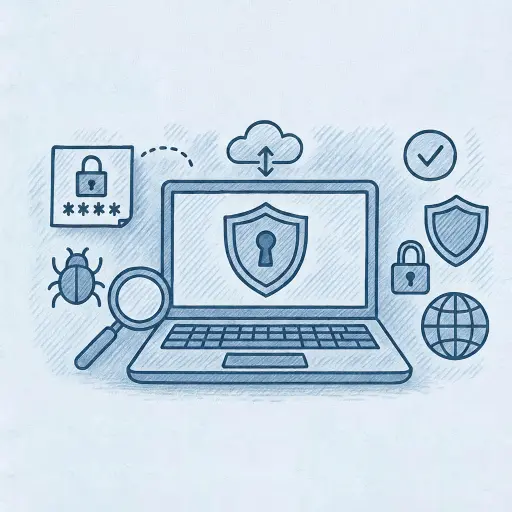
In 2025, Personal Computer Security is more important than ever. From online banking to everyday browsing, your digital activities are constantly at risk from malware, phishing, and cyberattacks. The good news? Protecting your personal computer is simple when you know what to look for. This guide breaks down easy steps and common threats to help you stay secure and safeguard your digital life.
Why Personal Computer Security Matters
Your computer holds valuable data. Bank account details, personal emails, photos, and sensitive information make attractive targets for cybercriminals. Protecting this information is essential for your privacy, financial safety, and peace of mind.
Common Threats to Personal Computers
To defend effectively, first understand the threats. Here are the most common ones: • Viruses and Malware: Harmful software that infects your system, causing damage or stealing data. • Phishing Attacks: Fake emails or websites tricking you into giving up personal information. • Ransomware: Malware that locks your files, demanding payment for access. • Spyware: Software secretly monitoring your online activity.
6 Essential Personal Computer Security Practices
Securing your personal computer involves several straightforward steps: 1. Regularly Update Your Software Always update your operating system, browsers, and apps. Updates often include patches for security vulnerabilities. 2. Install Antivirus and Antimalware Software Reliable antivirus software identifies and removes threats in real-time. 3. Use Strong, Unique Passwords A strong password includes: • At least 12 characters • A mix of letters, numbers, and symbols • No easily guessable information (like birthdays or common words) Consider using a password manager like LastPass or 1Password for generating and managing secure passwords. 4. Enable Two-Factor Authentication (2FA) Two-factor authentication provides an additional security layer by requiring a second verification method. Popular methods include SMS codes, authenticator apps, and biometric verification. 5. Be Wary of Suspicious Emails and Websites Phishing scams are rampant. Look out for signs like: • Poor grammar and spelling • Urgent requests for personal information • Unexpected emails from unfamiliar senders 6. Secure Your Network Connection Use secure, encrypted connections when online. Avoid public Wi-Fi or use a Virtual Private Network (VPN) to encrypt your connection.
Creating a Personal Computer Security Plan (4 Steps)
Creating a personal computer security plan helps maintain your digital safety. Follow these steps to build your plan: Step 1: Regular Backups Backup your data regularly using external drives or cloud services like Dropbox or Google Drive. Step 2: Security Audits Conduct regular security audits. Scan your computer for malware weekly and update passwords quarterly. Step 3: Educate Yourself Stay informed about current cybersecurity threats. Websites like StaySafeOnline.org provide timely tips and updates. Step 4: Secure Your Devices Ensure physical security. Lock your screen when away from your device and consider encryption tools like BitLocker (Windows) or FileVault (Mac).
Advanced Personal Computer Security Tips
Here are advanced tips for those who want additional security and peace of mind: • Encrypt Your Emails: Use secure email services like ProtonMail to protect your communications. • Use Secure Browsers: Consider privacy-focused browsers like Brave or Firefox, which block trackers and intrusive ads. • Regularly Review Privacy Settings: Check and adjust your privacy settings regularly on social media and other online accounts.
Quick Reference: Personal Computer Security Checklist
Use this checklist regularly to ensure you're covered:

Quick Tips at a Glance • Update everything frequently. • Use strong passwords + 2FA. • Backup and encrypt data. • Secure networks and devices. • Stay alert to new threats. Why This Checklist Matters in 2025: • AI based attacks are now more common; phishing and malware use automation. • Remote work has increased risks from home networks and personal devices used for work. • Privacy-first tools help reduce tracking and fingerprinting in-browser. • Firmware and zero-day threats require regular checks on BIOS and connected devices.
Personal Computer Security Trends for 2025
Cybersecurity threats evolve rapidly. Here’s what to expect in 2025: • AI-Powered Attacks: Cybercriminals increasingly use artificial intelligence for sophisticated attacks. • Remote Work Risks: Remote workers face unique cybersecurity challenges, such as unsecured home networks. • Privacy Concerns: Growing privacy concerns drive the demand for encrypted services and privacy-first applications.
Resources for Further Learning
Expand your knowledge with these resources: • Cybersecurity & Infrastructure Security Agency (CISA) • National Cybersecurity Alliance • Federal Trade Commission - Identity Theft
Takeaways from Solace
Personal computer security doesn’t have to be overwhelming. By following essential security practices, regularly auditing your digital footprint, and staying informed, you can confidently protect your valuable information. Stay vigilant, stay secure, and enjoy a safer digital experience in 2025 and beyond.
About the author

Paul Pioselli is the Founder and CEO at Solace - Truly Personal Cybersecurity, a concierge cybersecurity firm based in Connecticut. Drawing on Fortune-15 executive experience and advanced technical expertise, Paul specializes in protecting individuals, executives, professionals, and families from online threats, digital fraud, and privacy breaches. His hands-on approach has helped clients recover from hacking incidents, strengthen their digital defenses, and regain peace of mind. Paul’s insights on personal cybersecurity and digital risk management have been featured in local media outlets ( 06880 Cyber Defense Magazine ) and community outreach programs across Greenwich, Westport, Darien and beyond. Recognized for translating complex security concepts into clear, actionable steps, he continues to be a trusted local authority on hacking prevention, identity theft protection, and scam recovery. Through Solace, Paul shares practical strategies that empower individuals to take control of their digital safety.
Need Help with Personal Computer Security?
Our dedicated Personal Cybersecurity Advisors are here to assist you.
Related Articles
How to Verify a Cybersecurity Company Is Legitimate
How to Hire a Cybersecurity Expert for Personal Protection